


DMS Advanced Add-on
The DMS Advanced Add-on enables structured Firmware and Application Updates across multiple devices in a single, automated process.
- Batch capability and automation: Update many devices in one step instead of handling them individually.
- Time and cost efficiency: Reduce personnel effort and minimize downtime through well-structured, reliable processes.
- Transparency and traceability: All updates are logged and accessible for review and diagnostics.
- Scalability and reliability: Ideal for managing large, distributed device fleets with consistent rollout behavior.
Contact us so we can work together to meet your requirements and needs.
Effortless Batch Updates
The DMS Advanced Add-on offers an easy solution for managing and updating PLCnext devices across locations. Designed for users who operate multiple controllers, this Smart Service enables batch updates of firmware and applications – remotely and securely. Selected devices are updated sequentially in one process, with built-in error handling and detailed logging. This ensures transparency and minimizes downtime, while reducing the need for manual intervention.
Why the DMS Advanced Add-on?
The DMS Advanced Add-on extends the capabilities of the Device Management Service with a feature designed for scalable, secure and cloud-based device operations. Ideal for industrial environments with multiple PLCnext devices across different sites.
Centralized Update Management
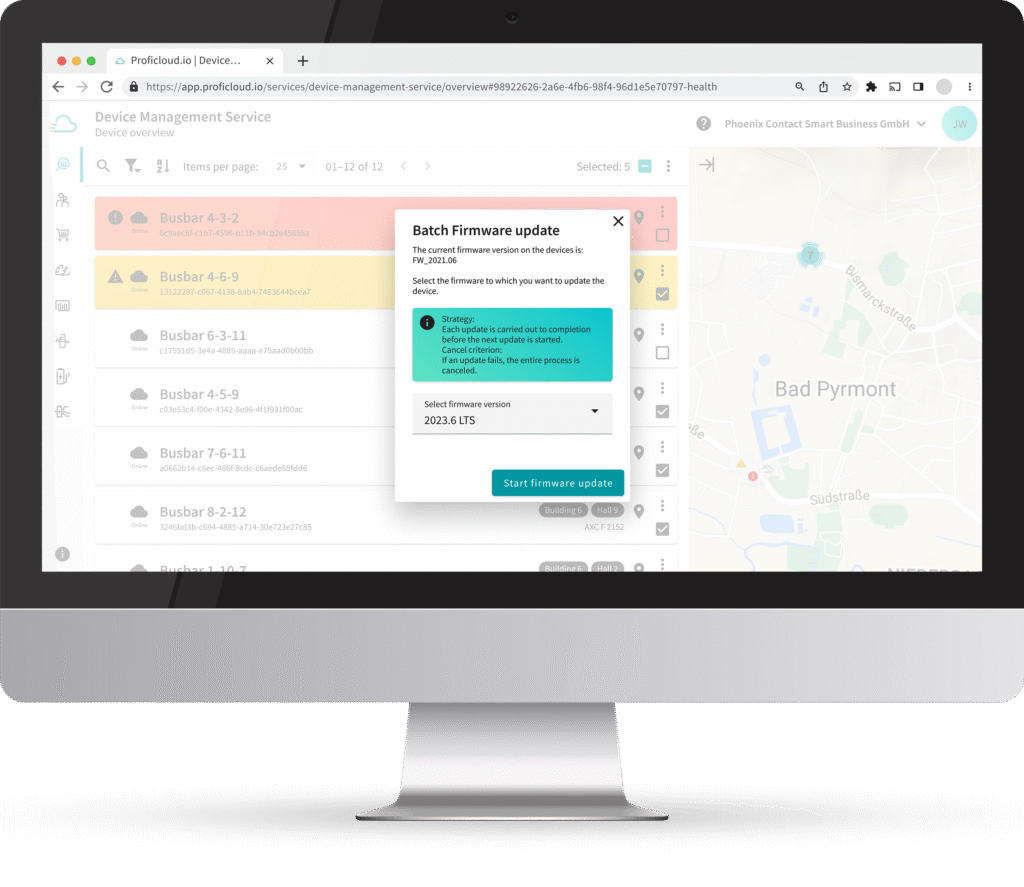
With the DMS Advanced Add-on, you execute firmware and application updates for all devices from a central location, regardless of where the hardware is located – reducing time‑consuming on‑site servicevisits.
Batch Updates
Update multiple devices simultaneously within a single workflow – saving time and resources, even for large device fleets.
Security & Stability
Regular updates keep your systems and devices up to date, reduce security risks, and ensure a stable operating environment.
Transparent Update History
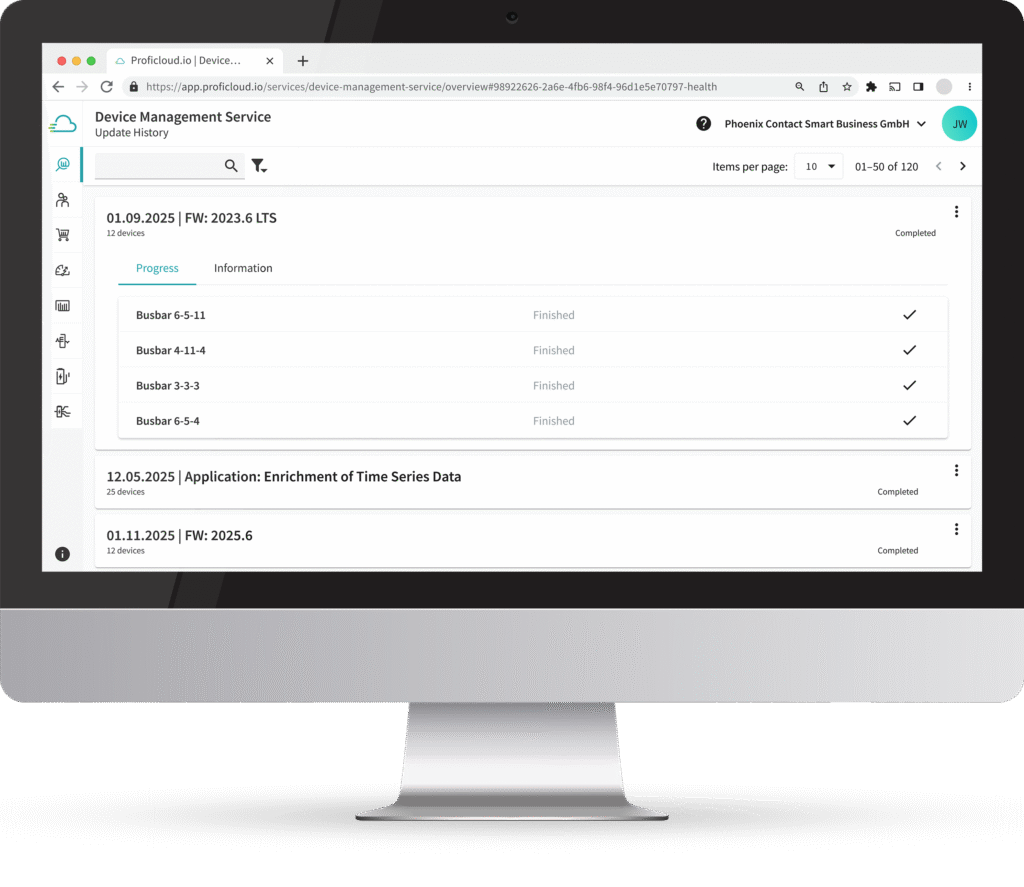
Besides the single device update history, every batch update process is automatically logged – giving you full visibility into completed updates and their versions, making traceability and compliance significantly easier.
Automatic Error Handling
If an error occurs during an update, the process for the remaining devices is safely cancelled – successfully updated devices stay on the latest version, allowing operations to continue without interruption.
Role and Permission Management
Only authorized personnel can initiate updates – increasing process reliability and reducing human error.
Scalable for Growing Device Fleets
The DMS Advanced Add-on adapts flexibly to an increasing number of devices and complex site structures – ideal for managing expanding infrastructures efficiently and reliably.
Key Features
The DMS Advanced Add-on includes key functions for efficient device management:

Multi-Device Updates in One Step
Select multiple devices and update them in one automated process. Firmware and applications are deployed sequentially and the process is aborted if an error occurs. All updates are logged and accessible via a dedicated tab.

Update History
Gain full transparency with detailed logs of all performed updates. This supports traceability and simplifies troubleshooting.

Remote Access and Role Management
Firmware and application Updates can be initiated and executed directly via the Smart Service for supported devices, without requiring on-site access. Role-based access ensures secure execution and prevents unauthorized changes.
The Add-on pays off from five devices onward — anything below that can be handled manually. But once fleets grow, update time becomes a cost factor.
Florian Jacob – Product Owner
Simplifying Device Management
The Batch firmware and application update in the DMS Advanced Add-on is designed for users who manage a large number of PLCnext devices across different locations. It simplifies the update process by allowing multiple devices to be updated in one step, saving time and reducing manual effort.
This makes the feature especially valuable for companies that want to keep their systems current without additional infrastructure or complex setup. Compared to other solutions, it offers a clear advantage through its cloud-based approach and native support for PLCnext Technology.
Includes all features of the DMS Basic Add-on
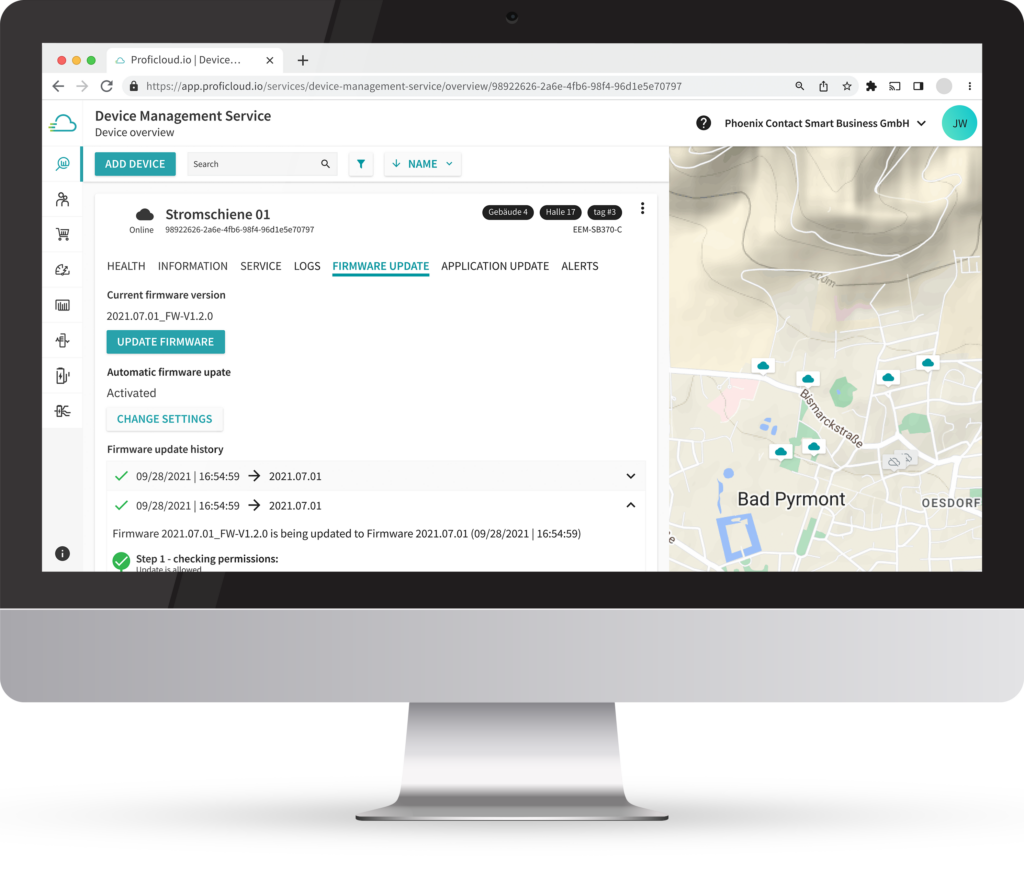
The DMS Advanced Add-on includes the complete functionality of the DMS Basic Add-on. This extends device management capabilities with the following features:
Device Groups
Organize devices into structured groups to simplify management and enable collective operations.
Alerts and Status Indicators
Configure alerts and visualize device health and status information to support structured monitoring.
Start in Just a Few Steps
Start transforming your device management in just a few steps:
- Connect your PLCnext devices to the Device Management Service
- Book the DMS Advanced Add-on in the Service Store
- Update multiple PLCnext devices at once
Not Ready Yet? Explore First

Schedule Live Demo
Would you like to see the functions live? We will be happy to show you all the functions directly in live operation, make an appointment today!
Pricing

Overview of All Smart Services in One Place
Show the DMS Advanced Add-on in the Service Store for pricing, compatibility and changelogs.
Further information


Hi, my name is Florian Jacob and I am glad to help you out!
Please do not hesitate to contact me. Also, if you have any suggestions or comments, just send us a message to inbox[at]phoenixcontact-sb.io and we will answer as soon as possible.